Updating your Account details
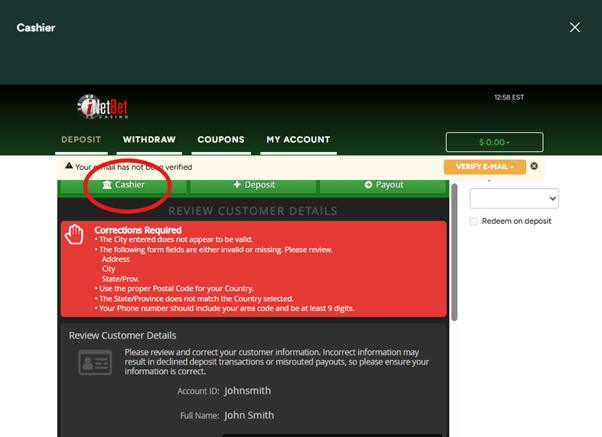
When you open the Cashier on the site, you may see a big red message that says “Corrections required” this is because upon sign up, your address details were not entered. Not to worry, below is a step by step guide on how to complete these details on your account.
If you’re trying to manually verify your email address, our customer service representatives may ask you to fill in these missing details on your account, it also helps when making a deposit that your account details match those associated with the card being used.
All you need to do is open up the Cashier and click the “Cashier” button, this will take you to an editable page where all the missing fields will be displayed for you.
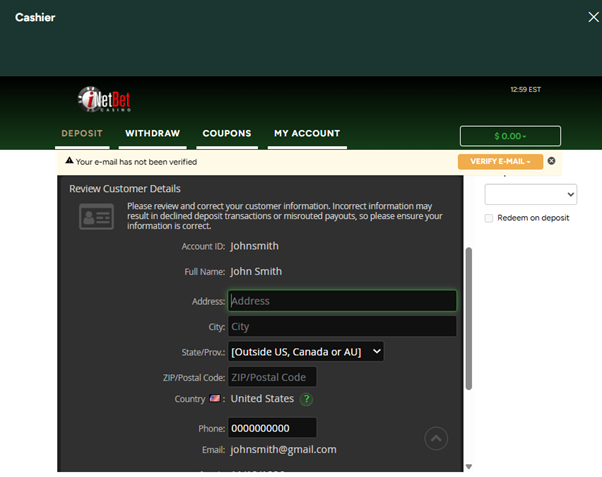
This page will allow you to edit any of these profile details on your account, once you have done this, just send us a quick email and we can assist in verifying your email address or with making a deposit in the Casino!